
CFSSG5 SIM
Flight and navigation instruments for X-Plane 12. Run native simulator windows or separate Windows displays, configured around your cockpit.
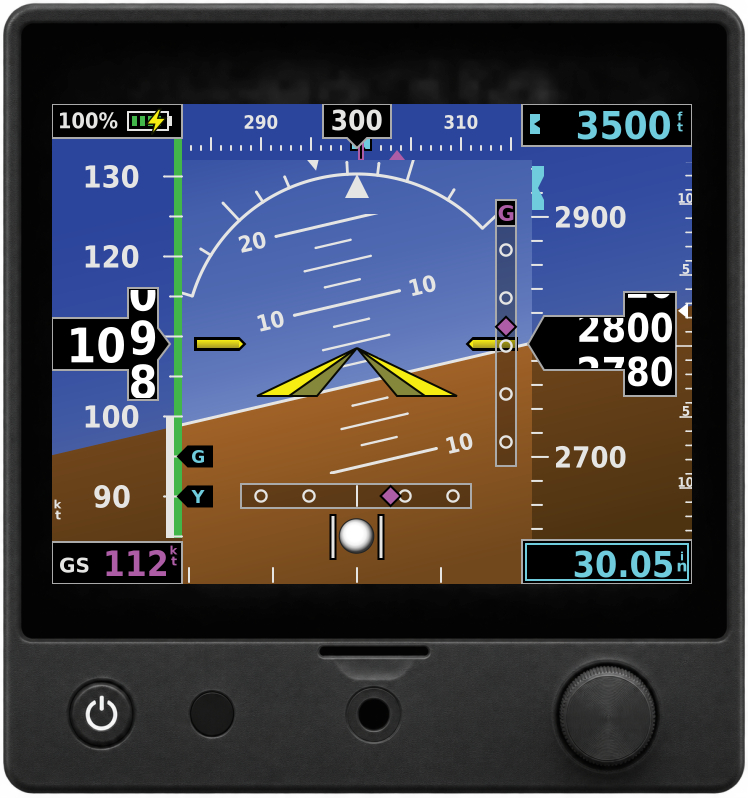
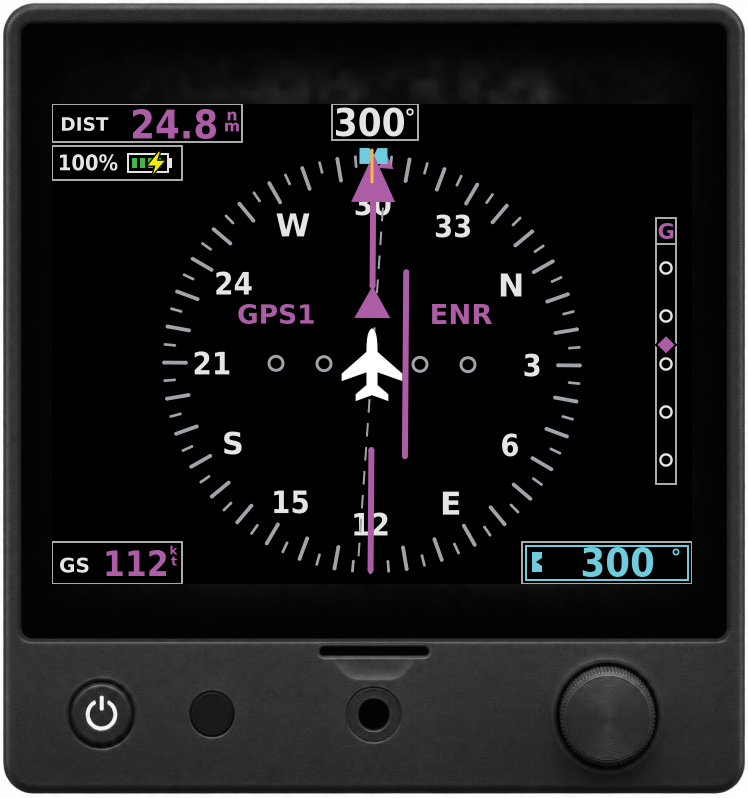
From desktop to cockpit.
The CFSS-G5 Electronic Flight Instrument Module brings independent flight and navigation displays to your simulator installation.
Native or separate displays
Use the G5-Link plugin inside X-Plane 12, or run separate Windows instrument displays on the simulator PC or a second networked PC.
Settings for each aircraft
Save independent unit configurations against the current ACF file, including aircraft airspeeds, units and installation settings.
Made for cockpit controls
Operate the instruments with the mouse and keyboard, or bind the published X-Plane commands to a physical push encoder and power button.
A closer look.
Explore the core functions of CFSSG5 SIM, from everyday operation to configuration and failure simulation.
Instrument setup
Adjust display, sensor and navigation settings to suit your simulator.
Aircraft profiles
Save aircraft-specific settings for a consistent setup when switching between aircraft.
Flight information
Bring essential attitude and air data together in a clear, configurable display.
Navigation
View heading, course and bearing information from your connected aircraft.
Failure simulation
Practice recognizing and responding to simulated instrument and sensor failures.
Navigation sources, flight director and autopilot indications depend on the connected aircraft and configured inputs. Calibration and battery behavior are simulated.
Let's talk about your setup.
Tell us about your aircraft, display arrangement and intended use. Contact CFSS for availability, integration questions and licensing.
Read the user manual
Installation, everyday operation, configuration, hardware commands and troubleshooting in one guide.
Download version 1.0.0 (PDF)Commercial and training use
Flight schools, organized training environments, and business or institutional use require a valid CFSS commercial license key. Contact us to discuss the appropriate license for your installation.
For flight simulation use only. This software is not approved for aircraft installation or use as a certified flight instrument. CFSSG5 SIM is an independent CanadianFlightSimStudios product and is not affiliated with or endorsed by Garmin.