
CFSS Library (X-Plane 12)
CFSS Dependency Library for X‑Plane 12 The CFSS Dependency Library is a required asset pack for all CFSS X‑Plane 12 products. It contains shared 3D models, textures, decals, and...
- Platform
- X-Plane 12
- Delivery
- Digital download
Taxes calculated at checkout. Digital product; no shipping required.
Check the simulator and library requirements before purchasing.
Contact product support ↗About this dependency package
CFSS Dependency Library for X‑Plane 12
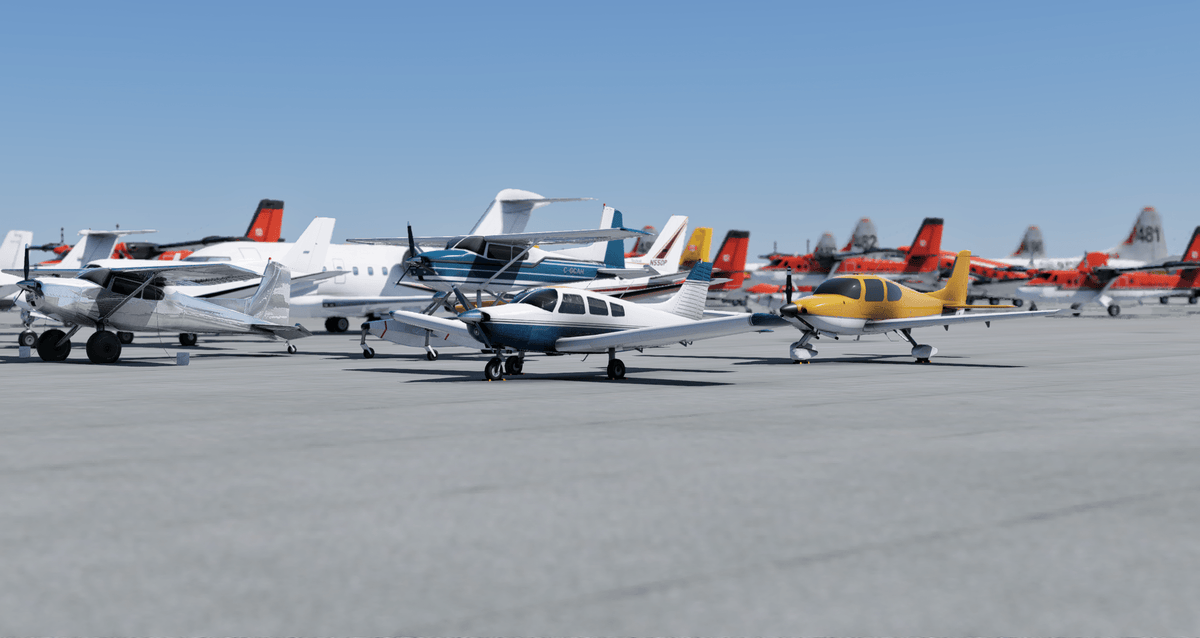
The CFSS Dependency Library is a required asset pack for all CFSS X‑Plane 12 products. It contains shared 3D models, textures, decals, and custom animated models that ensure accurate visuals and optimized performance across all CFSS sceneries and products.
Regularly updated, the CFSS Dependency Library reflects countless hours of research and development to provide highly detailed, realistic assets that bring CFSS sceneries to life.
Product Features
- Shared 3D models, textures, decals and custom animated models for CFSS scenery.
- The CFSS dependency library also replaces and enhances default X-Plane scenery objects within Canada.
- This library centralizes commonly used objects such as static aircraft, ground vehicles, signage, lighting assets, and environmental details, reducing file size for each product while maintaining consistent quality.
Product Requirements
- Simulator: X-Plane 12.
- Use this library only with the matching simulator edition and follow the included installation instructions.
Product Versions
- Version 1.0.7 — 2026-10-23
- Version 1.0.6 — 2026-08-18
- Version 1.0.5 — 2026-06-18
- Version 1.0.2 — 2025-08-01
- Version 1.0.1 — 2025-07-29
- Version 1.0.1 — 2025-07-28
Installation & Support
Extract the archive and place the actual library package folder in your X-Plane 12 Custom Scenery folder. The package’s library.txt must be directly inside that folder, with its asset folders intact. Follow the library readme and your airport’s installation instructions.
Match the library to your simulator and check the minimum version required by each scenery package. Read the library guide or get installation help.